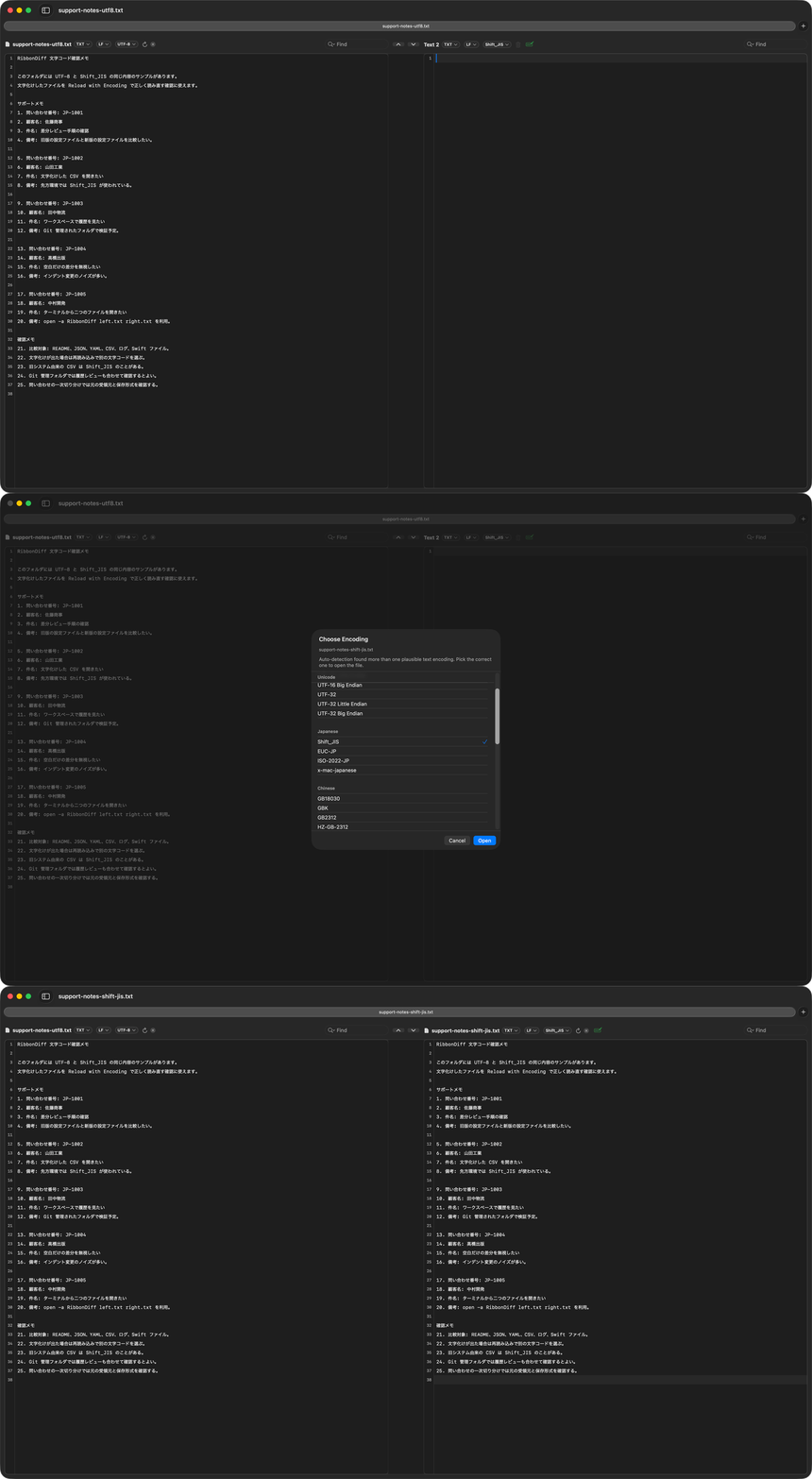
RibbonDiff keeps encoding controls close to the file so detected text can be confirmed or reloaded deliberately.
RibbonDiff usually detects text encoding correctly
RibbonDiff usually opens text files with the correct encoding automatically. Plain-text encodings can still be ambiguous, though, so RibbonDiff automatically shows the Encoding selector so you can verify the detected value or reopen the file from disk with another encoding when needed.
That means the same control covers both everyday confidence checks and the occasional real-world mojibake case.
When the Encoding selector is useful
- Checking legacy CSV or text files that may come from older Windows or regional workflows.
- Confirming how RibbonDiff interpreted a file before you save or compare it.
- Reloading the same file from disk with another encoding if the text does look wrong.
About the sample files
- support-notes-utf8.txt — UTF-8 reference text.
- support-notes-shift-jis.txt — the same text saved as Shift_JIS.
- inventory-utf8.csv and inventory-shift-jis.csv — matching CSV files in UTF-8 and Shift_JIS.
These are paired reference files with the same content in UTF-8 and Shift_JIS. They are meant to show supported encodings and the manual reload flow; they are not designed to trigger a false positive on open.
How to try it with the included samples
- Open a UTF-8 file and the matching Shift_JIS file.
- Confirm that both files are readable and note the Encoding selector in the title bar.
- Use the selector to inspect RibbonDiff's detected encoding or choose Reload with Encoding when you want to verify another interpretation.
- If a real-world file ever does open as mojibake, use the same control to reopen it from disk with the correct encoding.
For a visible before/after capture, intentionally re-open one Shift_JIS file as UTF-8 first, then reload it back as Shift_JIS. That is a manual demonstration of the control, not the expected initial result.
Related pages
Reload with Encoding is a shorter example page for the same selector and reload workflow.