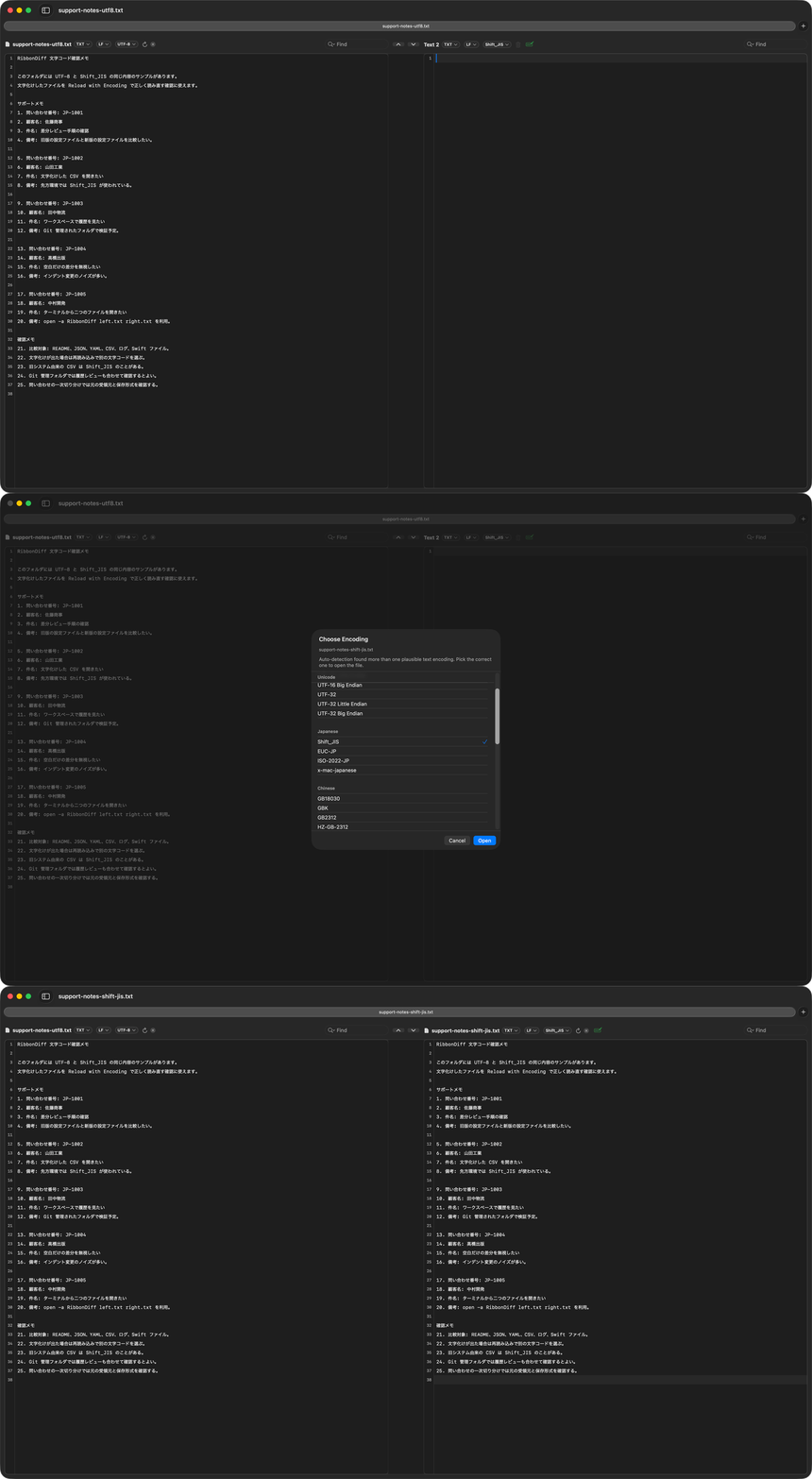
A Shift_JIS file reloaded with the correct encoding in RibbonDiff.
What this example shows
RibbonDiff usually detects text encoding correctly when a file opens, and automatically shows the Encoding selector for verification. This example shows where that selector appears and how you can use Reload with Encoding when you want to verify or override the detected value.
Files to use
demo-files/fix-encoding/support-notes-utf8.txtdemo-files/fix-encoding/support-notes-shift-jis.txtdemo-files/fix-encoding/inventory-utf8.csvdemo-files/fix-encoding/inventory-shift-jis.csv
Suggested steps
- Open one UTF-8 file and the matching Shift_JIS file.
- Confirm that both files are readable and note the Encoding selector in the title bar.
- Use the selector to inspect the chosen encoding.
- Optional demo-only step: intentionally reload the Shift_JIS file as UTF-8, then reload it back as
Shift_JISto show the manual override flow. - Use the same control for any real file that does open as mojibake.
Related pages
Fix mojibake and text encoding on Mac provides the fuller guide for verification, override, and recovery.