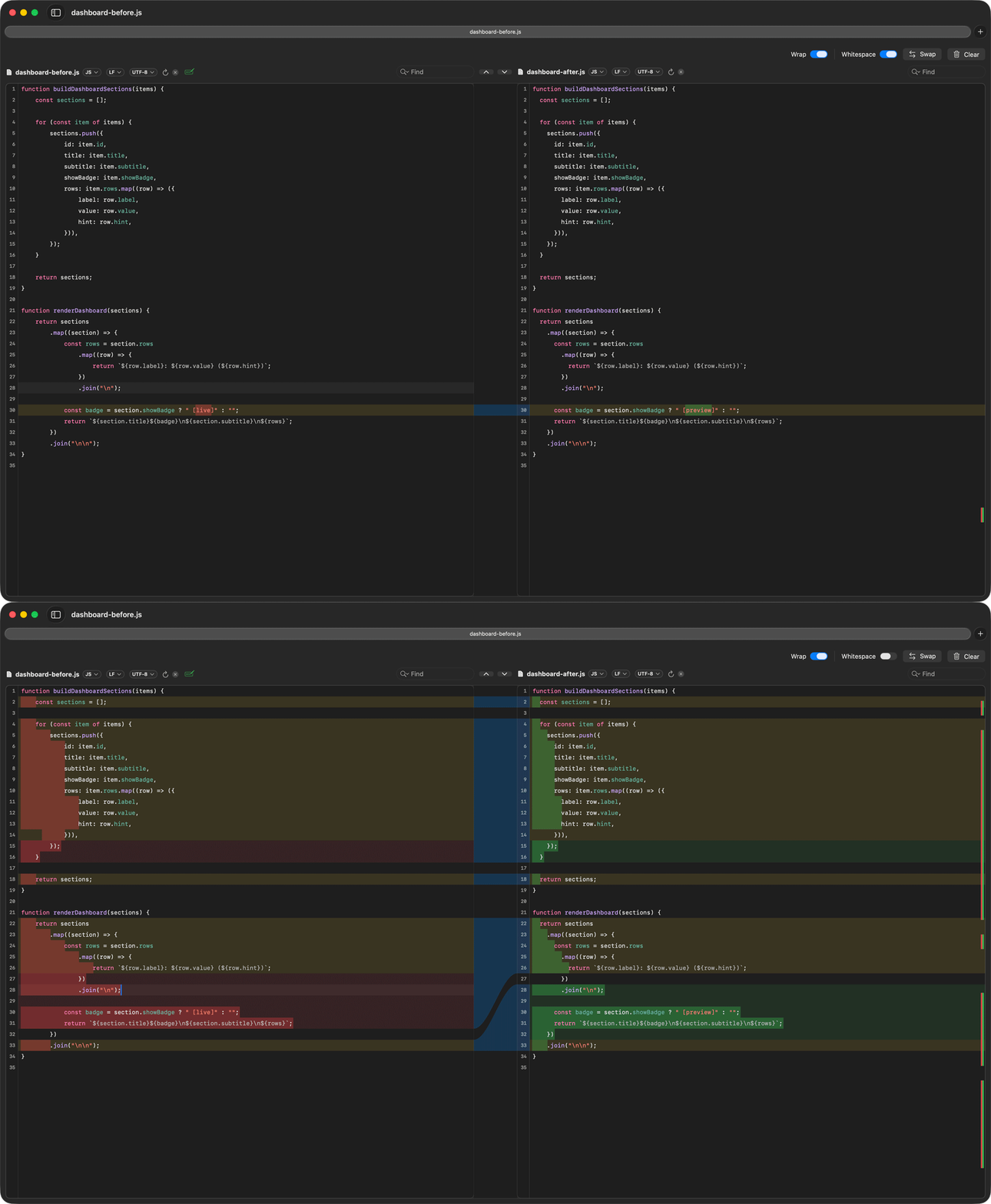
The same file pair before and after enabling whitespace filtering.
What this example shows
This workflow starts with a noisy diff, enables the Whitespace control, and leaves only the meaningful content changes visible.
Files to use
demo-files/ignore-whitespace/metrics-before.pyandmetrics-after.pydemo-files/ignore-whitespace/dashboard-before.jsanddashboard-after.js
Suggested steps
- Open one of the file pairs with whitespace filtering off.
- Pause on the noisy diff.
- Turn the Whitespace control on.
- Point to the remaining logic or wording change.
Related pages
Ignore whitespace-only diffs on Mac covers the same workflow in more detail.